Everyday overview
See your monthly income, expenses, money remaining and spending patterns without searching through a spreadsheet.
Meet Smart Budget Pro, the interactive planner that helps make income, spending, payday allocations and savings goals easier to understand—without a complicated setup.
Explore fictional example data here. The full offline desktop HTML app is sold as a one-time digital download by PixelCraftLabDesigns on Etsy.
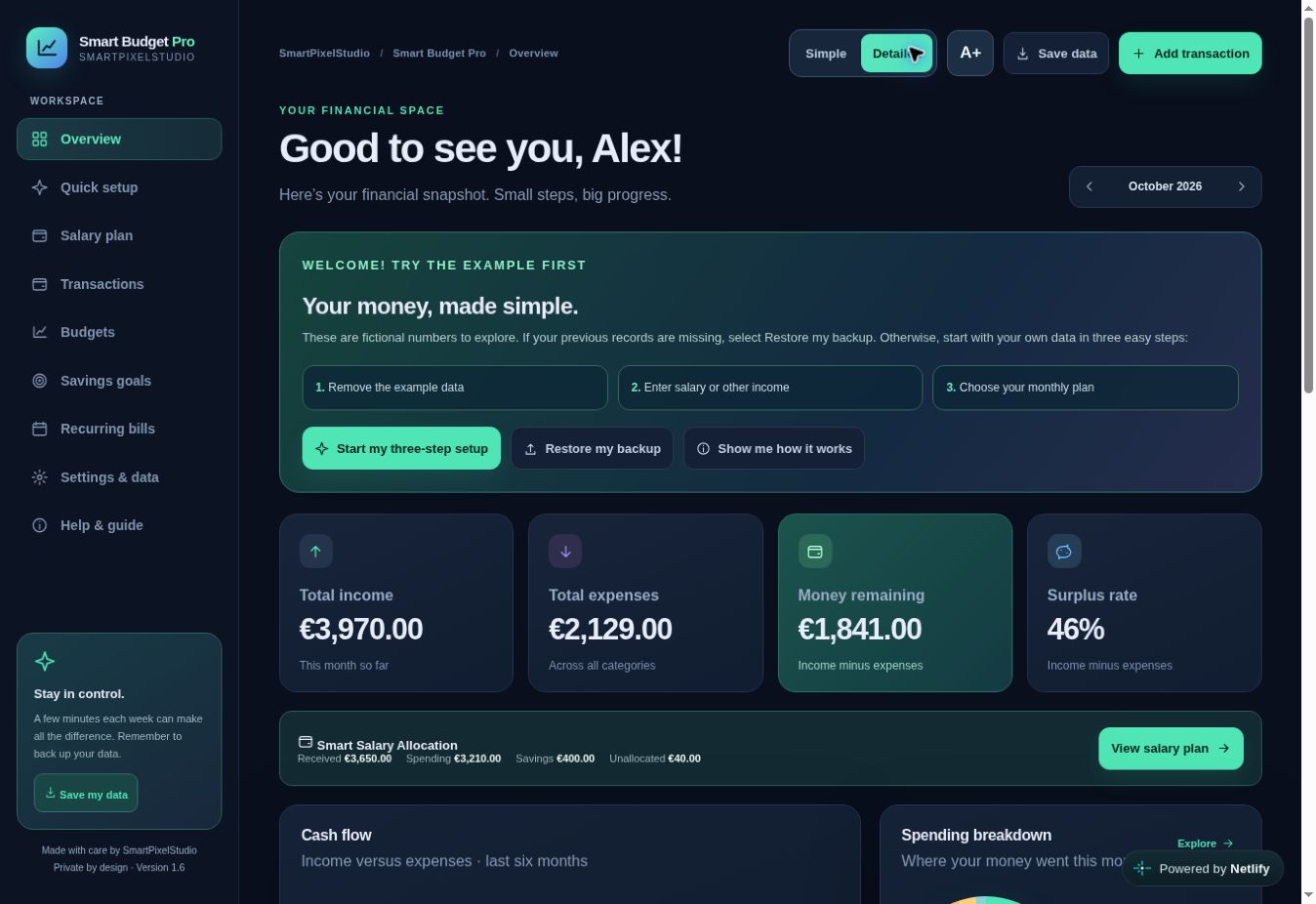
Start with the essentials. Move into the details when you're ready. Both modes work with the same budgeting information.
See your monthly income, expenses, money remaining and spending patterns without searching through a spreadsheet.
Choose how much of each payday goes towards planned spending, recurring bills and savings goals.
Build meaningful goals, track contributions and see your progress in clear visual bars.
Keep an eye on category limits, monthly bills, spending charts and your transaction history.
Choose a view to explore how the real app organises your finances. Everything below is read-only sample data; no account or financial information is collected.
Your sample financial space
Housing spending against a planned €1,400 monthly category budget.
€1,120 used · 80% of limit
The full app includes Smart Salary Allocation, category budgets, recurring bills, savings goals and a transaction log. Start in Simple Mode, then switch to Detailed Mode for more control.
The image shows the real v1.6 desktop app with example data.
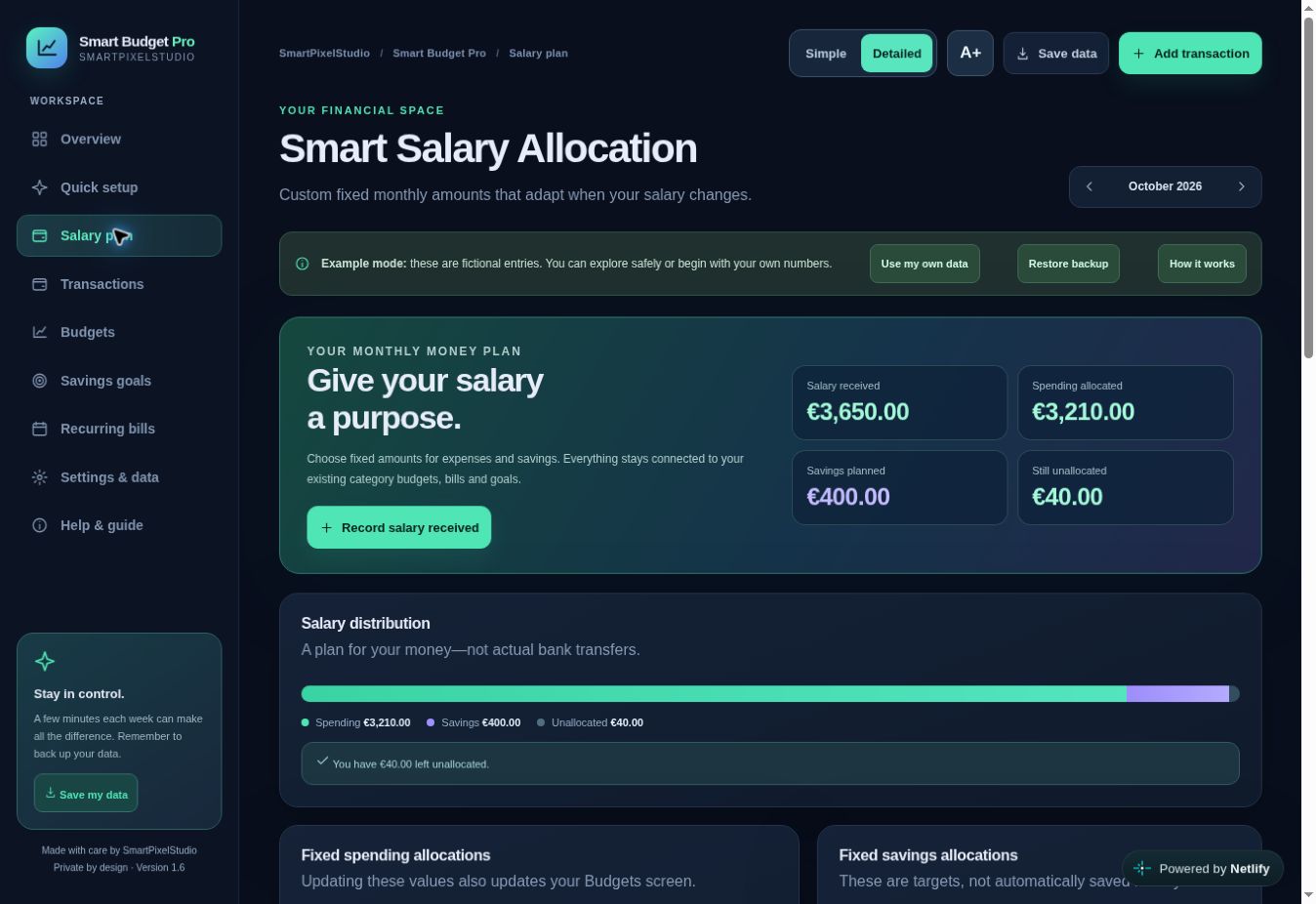
A quick look at the real application: monthly overview, spending reports, salary allocation and savings goals.
Unlike the sample demo above, this clip shows screenshots taken from Smart Budget Pro v1.6, with fictional financial records.
See the full download →Get the complete Smart Budget Pro v1.6 HTML application and starting guide as an instant Etsy ZIP download. Open it on a modern desktop browser, keep your records locally and export encrypted backup files. No subscription or bank connection.
No. This is a restricted, read-only demonstration using fictional numbers. To save your own income, expenses, budgets and goals, purchase the full downloadable HTML app.
On a laptop or desktop, extract the ZIP, open START_HERE.html and launch Smart_Budget_Pro.html in a modern browser. No customer account or separate app installation is required.
Yes, the standalone desktop HTML application works without an internet connection after download. Data stays in your current browser's local storage. Store regular backup copies outside the browser.
No. It doesn't connect to banking services or run automatic cloud syncing. You can export a password-protected JSON backup and manually restore it on another device.
The downloadable product is desktop-first. The interface adapts to smaller screens, but opening standalone HTML files and retaining local browser data on phones varies by browser and operating system. A hosted mobile application is not included in the Etsy download.
Encrypted backups protect exported JSON files when you choose a password. Data stored inside your browser isn't separately encrypted by Smart Budget Pro. Keep your device secure and follow the backup instructions.